A general safety inspection covers a broad range of hazards including chemical, electrical, and procedural risks. An ergonomic risk assessment focuses specifically on the physical demands of work and their relationship to musculoskeletal injury. It uses validated measurement tools to quantify postural exposure, force, repetition, and recovery time, and produces findings specific enough to act on directly rather than general observations.
Subtle Ergonomic Risks You Might Be Overlooking
Jun 17
Introduction
The obvious ergonomic problems likely get fixed. Chair too low, screen at the wrong height, no wrist support. Someone notices, adjusts, done. What stays broken are the things that don’t look broken. These risks can show up in any environment from office workstations, to industrial set-ups, as well as home and hybrid environments.
A workstation that produces consistent shoulder complaints but passes every visual check. A task performed the same way for three years because that’s how it’s always been done. A home setup that was meant to last two weeks and is now entering its fourth year unchanged.
These are the risks a structured ergonomic risk assessment is built to find. Not the ones on the standard checklist. The ones underneath it.
What Subtle Risks Show Up in Industrial and Physical Work Settings?
Contact Stress Nobody Talks About
Many workers lean their wrists or forearms against hard edges during repetitive tasks without realising the strain it creates. Continuous pressure around the wrist and elbow can gradually affect the ulnar nerve, causing numbness, tingling, and longer-term nerve issues.
This is a finding that almost never surfaces without a structured ergonomic risk assessment. Workers don’t report it because it may not cause discomfort hurt.
Pinch Grip in Assembly and Manufacturing Tasks
| Grip Type | Force Distribution | Fatigue Rate |
|---|---|---|
| Power grip | Across full hand and fingers | Lower, load distributed broadly |
| Pinch grip | Thumb and two to three fingers | Higher, concentrated force demand |
| Lateral pinch | Thumb pad against finger side | Highest for sustained tasks |
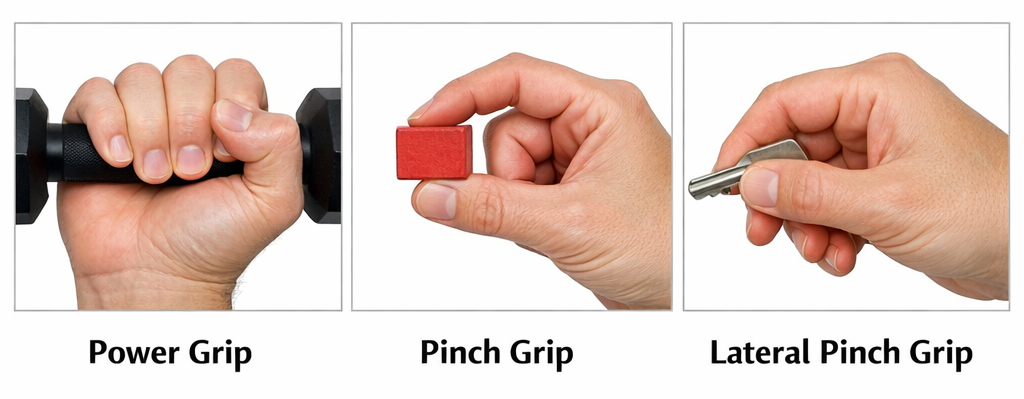
Assembly tasks that involve small components or tools default to pinch grip almost automatically. The force required is higher than it looks, the muscle groups involved fatigue faster than in power grip, and the tasks are typically repeated hundreds of times per shift. An ergonomic risk assessment that includes hand tool and task evaluation identifies where grip type is driving cumulative strain and whether tool or task redesign can reduce it.
Vibration That Workers Have “Gotten Used To”
When workers say they’ve adjusted to the vibration from a power tool or vehicle, that adaptation is neurological desensitisation, not physical protection. The tissue damage continues regardless of whether discomfort is perceived.
| Vibration Type | Common Sources | Associated Injury Risk |
|---|---|---|
| Hand-arm vibration | Grinders, jackhammers, power tools | Vascular damage, nerve compression, joint degeneration, Reynaud's Disease |
| Whole-body vibration | Forklifts, vehicles, heavy machinery, plant machinery | Lumbar disc degeneration, chronic lower back injury, Reynaud's disease |
What Office Ergonomic Risks Tend to Stay Hidden the Longest?
The risks that go undetected longest are the ones producing low-level strain rather than immediate pain. Nothing dramatic happens. The body compensates quietly, and by the time the compensation stops working, months of accumulation are already behind it.
The Monitor Is the Right Height but the Wrong Distance
Screen height is the adjustment everyone knows about. Distance is the one that gets skipped. A monitor sitting even 10 to 15 centimetres further than it should be causes the worker to lean forward during detail-heavy tasks, often without registering that they’re doing it. That small forward shift loads the cervical spine and upper back consistently across an eight-hour day.
The lean is subtle enough that the worker attributes the resulting neck tension to stress, bad sleep, anything except the screen that’s been sitting slightly too far away for the past six months.
Mouse and Keyboard on Different Levels
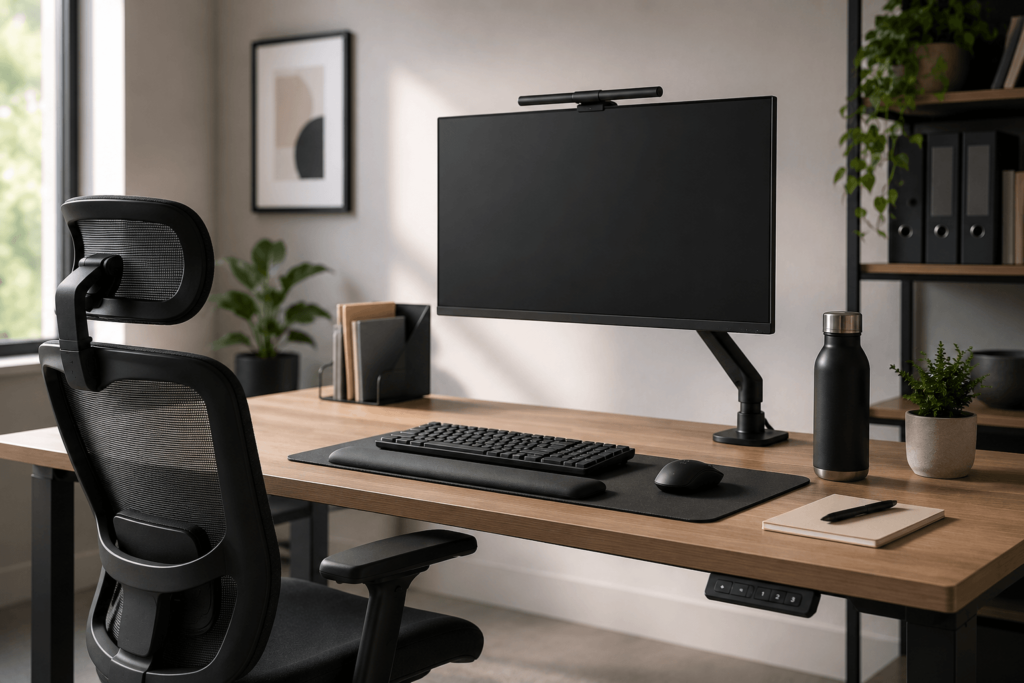
A keyboard tray lower than the desk surface while the mouse sits on the desk itself. It seems minor. What it creates is a repetitive shoulder elevation pattern every time the worker reaches for the mouse, which in a standard office role is several hundred times a day. The rotator cuff handles it fine initially. Over weeks, that cumulative load becomes the kind of shoulder complaint that gets referred to physiotherapy before anyone checks the desk setup.
A proper ergonomic risk assessment catches this immediately. A casual glance at the workstation does not.
Laptop Use as a Primary Workstation
The screen and keyboard on a laptop are physically attached, which means no position works for both simultaneously. Screen at the right height puts the keyboard too high. Keyboard at the right height drops the screen below eye level. Workers spend their day managing this compromise, and most have simply stopped noticing it.
Neck flexion from a screen sitting consistently below eye level adds up to significant cervical loading across a working week. It’s one of the more common findings in ergonomic risk assessments conducted for workers across Ottawa, Gatineau, and the Greater Toronto Area.
Why Do Home Office Setups Carry Risks Nobody Catches?
In a traditional office, there is usually someone to notice or address ergonomic issues. Remote workers in spare rooms or small apartments rarely have that support, so the same improvised setup often remains in place indefinitely.
What consistently surfaces in virtual ergonomic assessments conducted across Ottawa, Gatineau, Toronto, and surrounding areas:
- Seating designed for something else. Dining chairs lack adjustability, appropriate seat depth, and lumbar support. Workers adapt their posture around the chair rather than the other way around. The adaptation feels normal within a few weeks. The physical consequences arrive months later.
- Screens positioned for casual browsing. A monitor or laptop on a standard surface sits too low for sustained work. Comfortable for twenty minutes of reading. For seven hours of focused output, it produces consistent forward head posture that accumulates across the week.
- No neutral position to return to. Workers using the same surface for work, meals, and winding down in the evening don’t have a consistent physical baseline. The body never fully resets between demands, which matters more than most people expect over a working month.
- A dedicated ergonomic assessment for home office workers can help people with repositioning: a monitor stand, an external keyboard, adjusted chair height. Most of what needs changing costs very little. What costs more is leaving it unchanged for another year.
What Do Hybrid Workers Face That Neither Office Nor Remote Workers Do?
Two environments, neither optimised for the other, and a body that has to bridge the gap between them every few days.
Postural Whiplash Between Setups
A well-configured office desk followed by a home setup that’s six centimetres lower means the lower back and shoulders absorb a different load pattern on alternating days. The body adjusts each time. That adjustment cycle is its own source of cumulative strain, and it doesn’t show up on any single assessment of either environment in isolation.
Hot Desks Nobody Adjusts
Hybrid workers arriving at an unassigned desk and working from it all day without adjustment are sitting in a setup configured for a different person’s height, reach, and posture. Most don’t adjust because it feels disruptive or they’re only there for one day.
Working from a hot desk just twice a week over the course of a year creates a meaningful amount of ergonomic strain. That is why office ergonomic assessments for flexible workspaces need a different approach than assessments for fixed desks
What Does a Thorough Ergonomic Risk Assessment Actually Cover?
A structured ergonomic risk assessment also looks at whether smaller day-to-day strains are slowly building into a more serious injury risk:
| Assessment Area | What It Actually Examines |
|---|---|
| Postural exposure duration | How long specific postures are held, not just whether they occur |
| Recovery patterns | Whether adequate variation exists between demanding tasks |
| Force combined with repetition | High repetition at low force carries similar injury risk to low repetition at high force |
| Contact stress | Localised pressure from surfaces against soft tissue during task performance |
| Environmental contributors | Lighting, floor surface, temperature, and noise all affect physical strain indirectly |
For industrial environments, a physical demands analysis alongside the assessment documents the full physical requirements of a role, supporting both injury prevention and return-to-work planning under Ontario legislation.
Injury Prevention Plus conducts ergonomic risk assessments across office, industrial, vehicle, and remote environments throughout Ottawa, Gatineau, Toronto, and surrounding regions. Every assessment is carried out by a registered healthcare professional with over 33 years of applied experience.
Book an assessment to find out what your current setup is producing that nobody has caught yet.
Frequently Asked Questions
What are the most commonly overlooked ergonomic risks in office work?
Monitor distance, keyboard and mouse positioned on different planes, laptop use without peripheral support, and contact stress from desk edges are among the most frequently missed risks in office environments. These tend to go undetected because they produce low-level strain rather than immediate pain, and because they’re only visible during a structured ergonomic assessment rather than a casual walk-through.
Can ergonomic risks develop even with a "good" workstation setup?
Yes. A workstation that is correctly configured on day one can become a source of risk over time if the worker’s tasks change, if equipment is replaced without reassessment, or if the worker’s physical condition changes. Ergonomic risk assessment is not a one-time fix. It reflects a specific person in a specific environment at a specific point in time, which is why periodic review matters.
How does whole-body vibration contribute to ergonomic injury?
Whole-body vibration, common in forklift operators, driving, and heavy machinery operators, transmits mechanical energy through the spine during operation. Over time, sustained vibration exposure contributes to lumbar disc degeneration, reduced spinal stability, and accelerated fatigue. A vehicle ergonomic assessment evaluates vibration exposure alongside seating configuration and driving posture to identify where risk is highest.
Are home office ergonomic risks covered under Canadian workplace health and safety obligations?
Yes. Canadian occupational health and safety legislation extends to remote and hybrid work arrangements. Employers have a duty of care that does not end when work moves out of the office. A virtual ergonomic assessment is the practical mechanism for identifying and documenting home office risks, and for demonstrating that the employer has taken reasonable steps to address them.